
Image Whitespace Remover
Upload your image to automatically trim extra whitespace or transparency — adjust padding and download clean output.
Upload your image
Drag and drop or browse a file
Image Whitespace Remover Tool – Instantly Trim Transparent Space from Images
Welcome to the Image Whitespace Remover by FrontendBaba — the easiest way to automatically remove unwanted transparent space around your images. Whether you’re a designer, developer, or content creator, this tool helps you create perfectly cropped images with clean edges and no empty transparent areas — ideal for web assets, logos, and UI elements.
What is Image Whitespace Removal?
Image whitespace removal is the process of detecting and trimming transparent areas that surround the visible content of an image. It ensures your visuals are neatly aligned and free from unnecessary transparent gaps that can cause layout or alignment issues in design projects.
This is especially useful for exported graphics, logos, or icons that often include invisible transparent padding.
Image Whitespace Remover Tool in Action
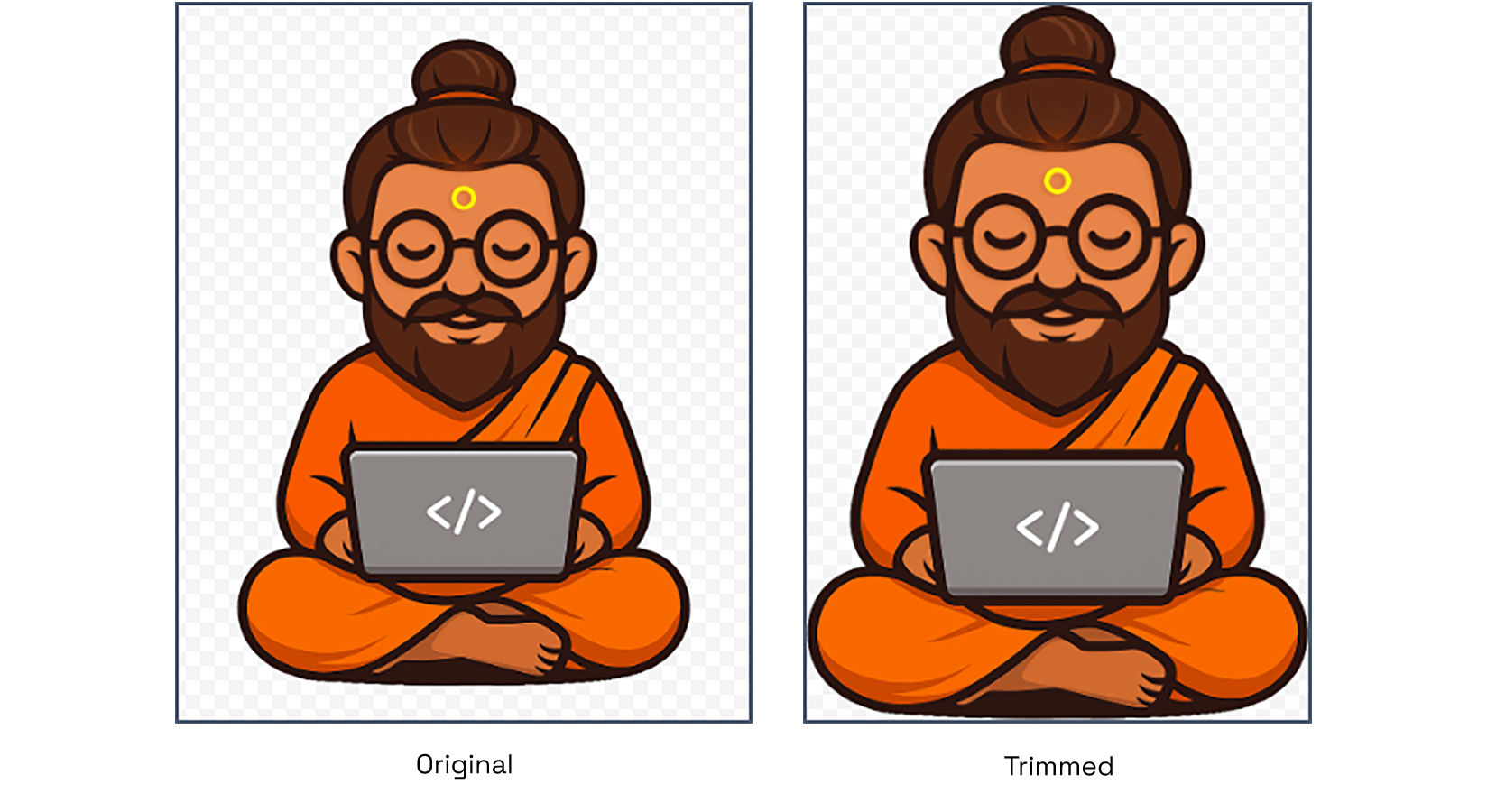
Automatically removes extra transparent space for a perfectly cropped image.
What Our Image Whitespace Remover Tool Can Do
- Auto Trim Detection – instantly removes extra transparent space around your image.
- Padding Control – add custom spacing back if you want a uniform buffer around your design.
- Instant Preview – see real-time trimming results before downloading.
- One-Click Download – export the cleaned image immediately in its original format.
- Works with SVG, PNG, WebP, and locally normalized HEIC images.
Why Use FrontendBaba’s Image Whitespace Remover?
- Completely Free – no signup or watermark.
- Works entirely in your browser — no uploads, no privacy concerns.
- Smart transparent area detection for perfect cropping.
- Ideal for logos, icons, UI assets, and exported design elements.
- Combine it with other FrontendBaba Image Tools like resizer, compressor, or cropper for complete image optimization.
When to Use the Image Whitespace Remover
- Before adding logos or icons to your website or app.
- To fix exported images from design tools that include extra transparent padding.
- When preparing UI or web graphics for pixel-perfect alignment.
- Any time you want to reduce extra transparent space and keep your visuals clean.
The Image Whitespace Remover by FrontendBaba helps you achieve clean, precisely trimmed images in seconds — no Photoshop, no manual cropping, just smart automation in your browser.
Frequently asked questions
What kind of whitespace does this tool remove?
The current tool detects and trims fully transparent pixels surrounding visible image content.
Which image formats are supported?
You can trim PNG, WebP, SVG, and HEIC files up to 15MB. HEIC uploads are normalized to PNG locally before transparency is analyzed.
Can it remove a solid white background from a JPG?
Not currently. It removes transparent margins rather than visible white pixels, and JPG files do not contain transparency.
Can I add space after trimming the image?
Yes. Use the padding control to add a consistent transparent margin around the trimmed content.
Are my images uploaded to a server?
No. Whitespace detection and trimming happen locally in your browser.





Support FrontendBaba
Enjoying these free tools?
A small coffee helps me maintain the tools and build useful new ones.