
Image Filters
Upload your image, apply filters like grayscale, sepia, or vintage, and fine-tune brightness, contrast, and hue in real time.
Upload your image
Drag and drop or browse a file
Image Filters Tool – Apply Stunning Filters and Adjust Image Colors Instantly
Welcome to the Image Filters Tool by FrontendBaba — a fast, creative way to enhance your photos online. Add artistic effects, adjust tones, or completely change your image’s mood with filters like Grayscale, Sepia, Vintage, Warm, and more — all in real time.
What is an Image Filter Tool?
An image filter tool lets you modify the appearance of an image by applying color effects or tone adjustments. From adding warmth and depth to creating moody black-and-white looks, filters can dramatically improve your photo’s aesthetic.
The FrontendBaba Image Filters Tool combines pre-made filter presets with manual controls, so you can adjust brightness, contrast, hue, and saturation exactly the way you want.
Image Filters Tool in Action
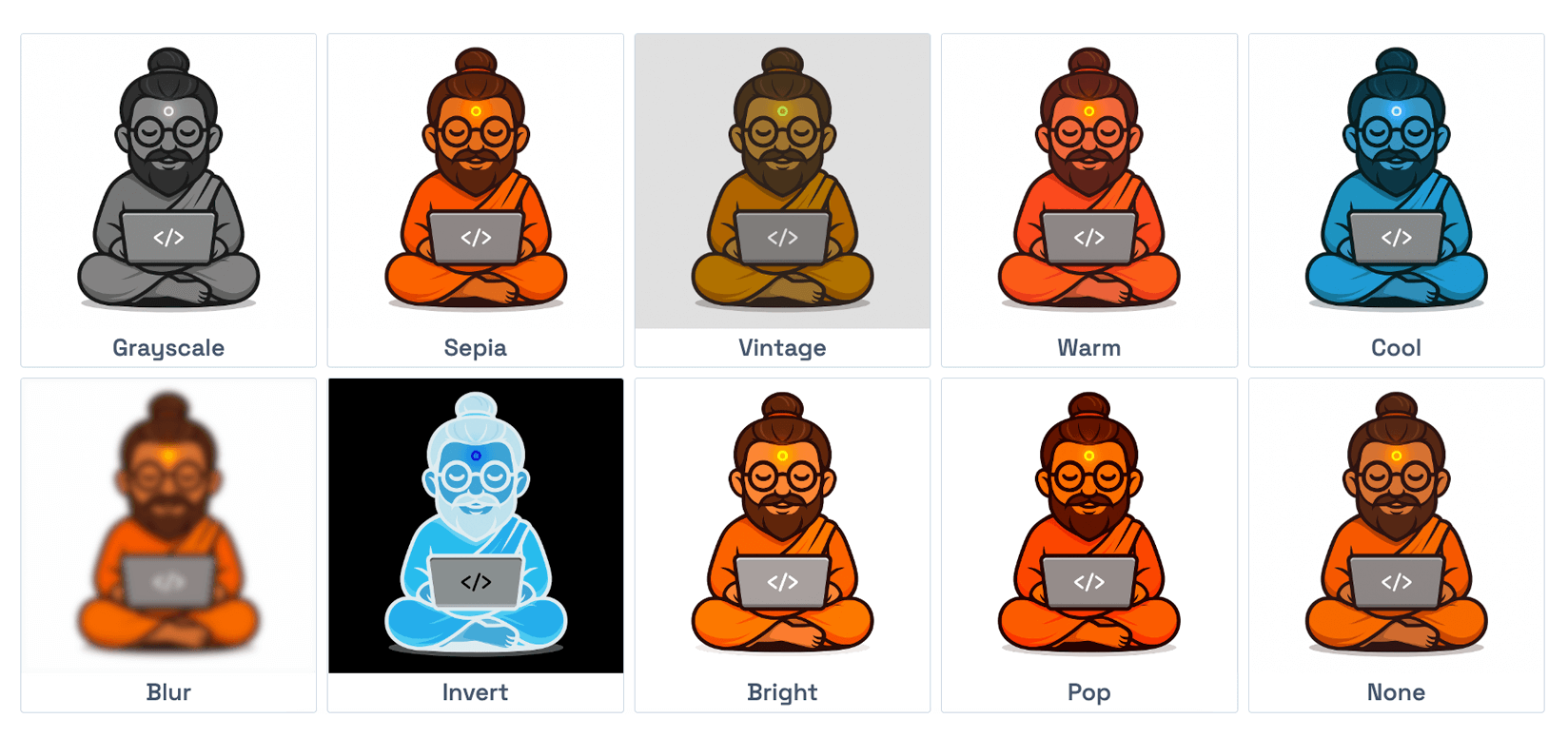
Instantly preview and download the output generated by this tool.
What Our Image Filters Tool Can Do
- Filter Presets – instantly apply filters like Grayscale, Sepia, Vintage, Warm, Cool, and more.
- Custom Adjustments – control brightness, contrast, saturation, hue, and blur using intuitive sliders.
- Live Preview – see every adjustment update in real time before exporting.
- Instant Export – download your filtered image immediately in the same format as the original.
- Supports PNG, JPG, WebP, and HEIC image uploads.
Why Use FrontendBaba’s Image Filters Tool?
- Completely Free – no sign-up, no watermark, and no hidden limits.
- Works 100% in your browser — your images never leave your device.
- Beautiful filter presets designed for both modern and classic looks.
- Perfect for social media posts, product photos, and creative projects.
- Combine it with other FrontendBaba Tools like Image Compressor, Cropper, or Color Extractor for complete editing flexibility.
When to Use the Image Filters Tool
- To enhance photos before posting on social media.
- When creating aesthetic graphics or marketing visuals.
- To fix lighting or color tone issues in raw images.
- When experimenting with creative styles and filter effects.
The Image Filters Tool by FrontendBaba lets you transform ordinary images into eye-catching visuals instantly — without complex software or editing skills.
Frequently asked questions
Which image filters are included?
Presets include grayscale, sepia, vintage, warm, cool, blur, invert, bright, pop, and the original look.
Can I fine-tune a preset?
Yes. Adjust brightness, contrast, saturation, hue, and blur after selecting a preset.
Which image formats are supported?
You can upload JPG, PNG, WebP, or HEIC images up to 15MB. HEIC files are decoded locally in your browser.
Are filters applied to the original-resolution image?
Yes. The downloaded result applies the selected CSS-style filters to a canvas at the image natural dimensions.





Support FrontendBaba
Enjoying these free tools?
A small coffee helps me maintain the tools and build useful new ones.