
Image Color Picker
Upload your image and click anywhere to pick colors — view HEX, RGBA, and HSLA instantly.
Upload your image
Drag and drop or browse a file
Image Color Picker Tool – Pick Colors from Any Image with Pixel-Perfect Accuracy
Welcome to the Image Color Picker by FrontendBaba — your go-to tool for extracting accurate colors from any image. Whether you’re a designer, developer, or creator, this tool helps you identify and copy colors instantly in multiple formats like HEX, RGBA, and HSLA.
What is an Image Color Picker?
An image color picker is a tool that allows you to extract color values directly from an uploaded image. You simply click on a pixel, and it shows you the exact color in different code formats — perfect for web design, UI mockups, or creative projects.
The FrontendBaba Image Color Picker Tool offers a precise magnifier, real-time color previews, and easy copy options, so you can find and reuse colors with professional accuracy.
Image Color Picker Tool in Action
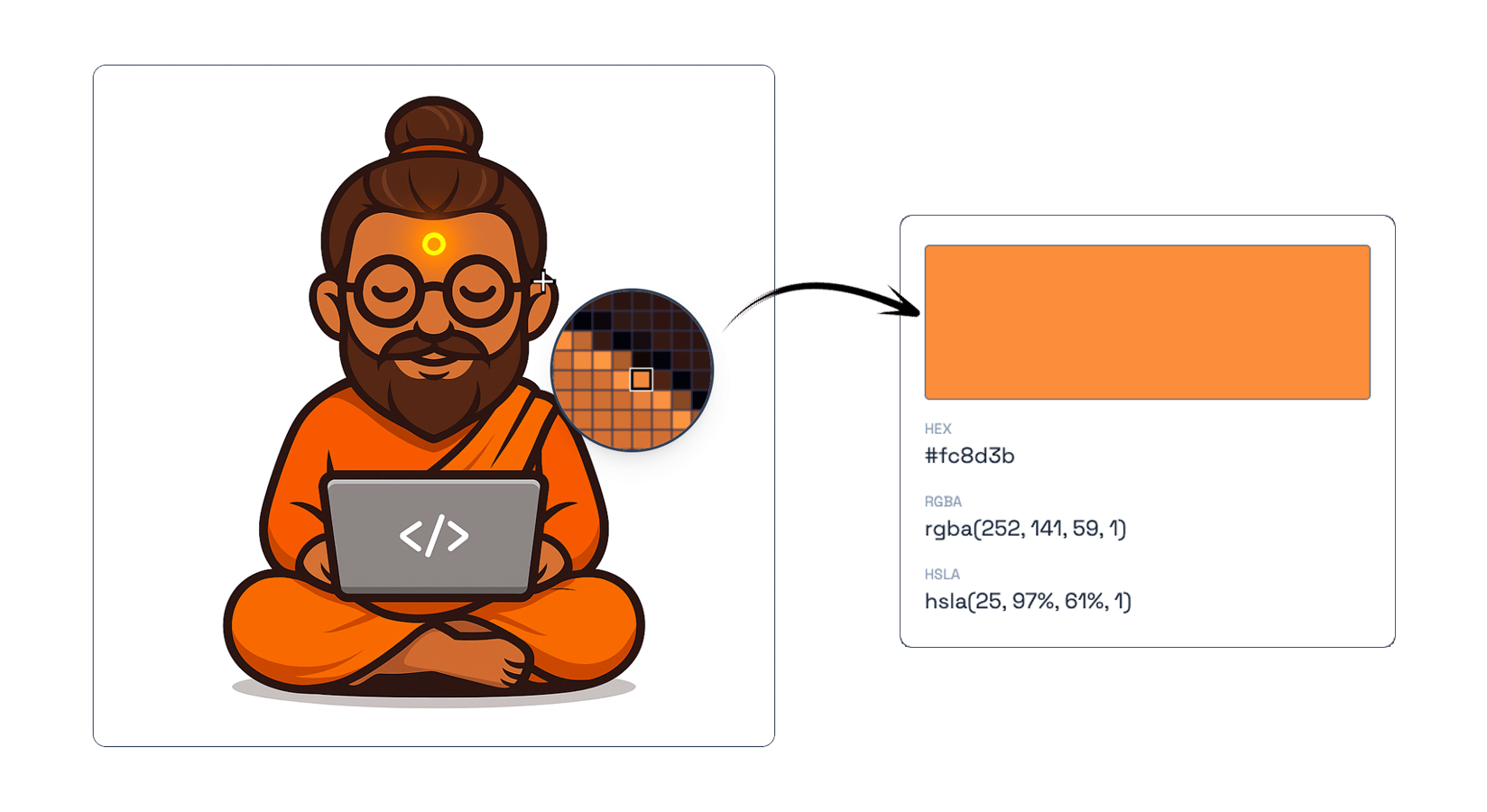
Click anywhere on your image to pick and preview exact HEX, RGBA, and HSLA values.
What Our Image Color Picker Tool Can Do
- Precise Selection – hover or click on any pixel to get its exact color value.
- Multiple Color Formats – instantly view and copy colors in HEX, RGBA, and HSLA formats.
- Live Magnifier – zoomed color preview ensures perfect accuracy on detailed images.
- Instant Copy – copy color codes to clipboard with a single click.
- Works seamlessly with JPG, PNG, WebP, SVG, and HEIC images.
Why Use FrontendBaba’s Image Color Picker?
- Completely Free – no signup, limits, or watermarks.
- Runs fully in your browser — safe and private, no uploads.
- Designed for designers, developers, and UI creators.
- Gives quick access to all major color formats used in CSS and design tools.
- Perfect companion for other FrontendBaba Design Tools like Gradient Generator, Blob Generator, and Typography Tool.
When to Use the Image Color Picker
- When creating a color palette from brand images or logos.
- To extract UI colors from mockups or screenshots.
- When matching colors across different design elements.
- Any time you need to identify or reuse a specific color quickly.
The Image Color Picker by FrontendBaba helps you capture and reuse colors effortlessly — ideal for anyone who designs, develops, or works with visuals every day.
Frequently asked questions
Can I pick colors from an HEIC image?
Yes. HEIC and HEIF images are decoded locally in your browser before pixel sampling.
How do I pick a color from an image?
Upload an image, move over the preview to inspect pixels, and click the exact point whose color you want to keep.
Which color values does the picker show?
The selected pixel is converted to HEX, RGBA, and HSLA values.
Does the picker sample the exact image pixel?
Yes. Pointer coordinates are mapped to the original canvas dimensions for pixel-level sampling.
Is the uploaded image private?
Yes. The image is drawn and sampled locally in your browser and is not uploaded to our server.





Support FrontendBaba
Enjoying these free tools?
A small coffee helps me maintain the tools and build useful new ones.