
Image Censor
Upload your image, select an area to hide, and apply pixelate, blur, or black censor effects instantly.
Upload your image
Drag and drop or browse a file
Image Censor Tool – Hide Sensitive Details with Blur, Pixelate, or Black Box Effects
Welcome to the Image Censor by FrontendBaba — the fastest way to blur, pixelate, or block out sensitive parts of any image. Whether you need to hide faces, confidential data, or private information in screenshots, this tool helps you do it quickly, safely, and directly in your browser — no uploads required.
What is Image Censorship?
Image censorship is the process of hiding or obscuring parts of an image to protect privacy or sensitive information. It’s commonly used to blur personal details, faces, or confidential text before sharing an image publicly.
The FrontendBaba Image Censor Tool makes this easy and intuitive — you can instantly select areas to censor and apply your preferred effect with complete control.
Image Censor Tool in Action
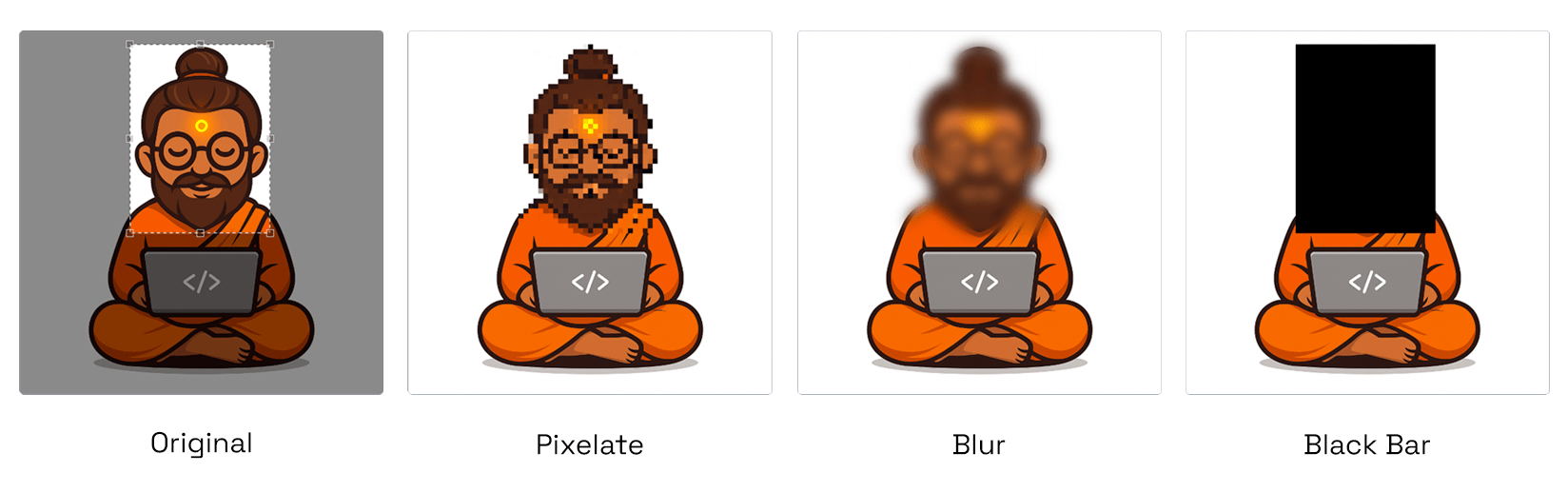
Image Censor Types: Pixelate, Blur & Black Bar.
What Our Image Censor Tool Can Do
- Multiple Censor Types – choose between Pixelate, Blur, or Black Box to hide any detail.
- Adjustable Intensity – control pixel size or blur strength for precise visibility balance.
- Easy Area Selection – draw or drag to mark regions you want to censor.
- Instant Preview – see the effect live before downloading.
- Quick Download – export your censored image instantly in its original format.
Why Use FrontendBaba’s Image Censor Tool?
- Completely Free – no sign-up or watermark.
- Privacy-first — works entirely in your browser, with no data uploaded.
- Supports major image formats including JPG, PNG, WebP, AVIF, and HEIC.
- Perfect for tutorials, reports, social posts, and confidential documents.
- Combine with other FrontendBaba Image Tools like Cropper, Resizer, or Compressor for a full workflow.
When to Use the Image Censor Tool
- To hide personal or sensitive information in screenshots.
- Before sharing images that show faces, license plates, or contact info.
- When preparing tutorials, blog posts, or client reports with private content.
- Any time you want to share images publicly while keeping privacy protected.
The Image Censor Tool by FrontendBaba helps you protect sensitive visuals in seconds — no Photoshop, no hassle, just fast, secure, in-browser editing.
Frequently asked questions
Can I censor an HEIC image?
Yes. HEIC and HEIF uploads are converted locally before you select and censor an area.
Which censor effects can I apply?
Choose pixelation, blur, or a solid black box to hide the selected area.
Can I control the censor strength?
Yes. Adjust pixel size for pixelation or blur amount for the blur effect.
How do I choose the area to censor?
Drag and resize the selection overlay on the original image; the processed preview updates automatically.
Which output format is used?
The tool preserves JPG and WebP when supported and otherwise exports the result as PNG.
Is the sensitive image uploaded?
No. The censor effect is applied locally in your browser, which helps keep the source image private.





Support FrontendBaba
Enjoying these free tools?
A small coffee helps me maintain the tools and build useful new ones.