
Image Color Extractor
Upload an image to extract its dominant colors — view HEX, RGBA, and HSLA values with live preview.
Upload your image
Drag and drop or browse a file
Image Color Extractor Tool – Generate Color Palettes from Any Image Instantly
Welcome to the Image Color Extractor by FrontendBaba — a smart and fast tool that helps you generate color palettes from any image in seconds. Whether you’re creating brand colors, UI themes, or mood boards, this tool automatically detects the most dominant colors and gives you clean, ready-to-use palettes.
What is an Image Color Extractor?
An image color extractor analyzes an image to identify its most prominent colors and present them as a visual palette. It’s a quick way to understand the color composition of photos, logos, or artwork and reuse those colors in your design projects.
The FrontendBaba Image Color Extractor Tool gives you full control — you can adjust how many colors to extract, view them interactively, and copy each in multiple formats like HEX, RGBA, and HSLA.
Image Color Extractor Tool in Action
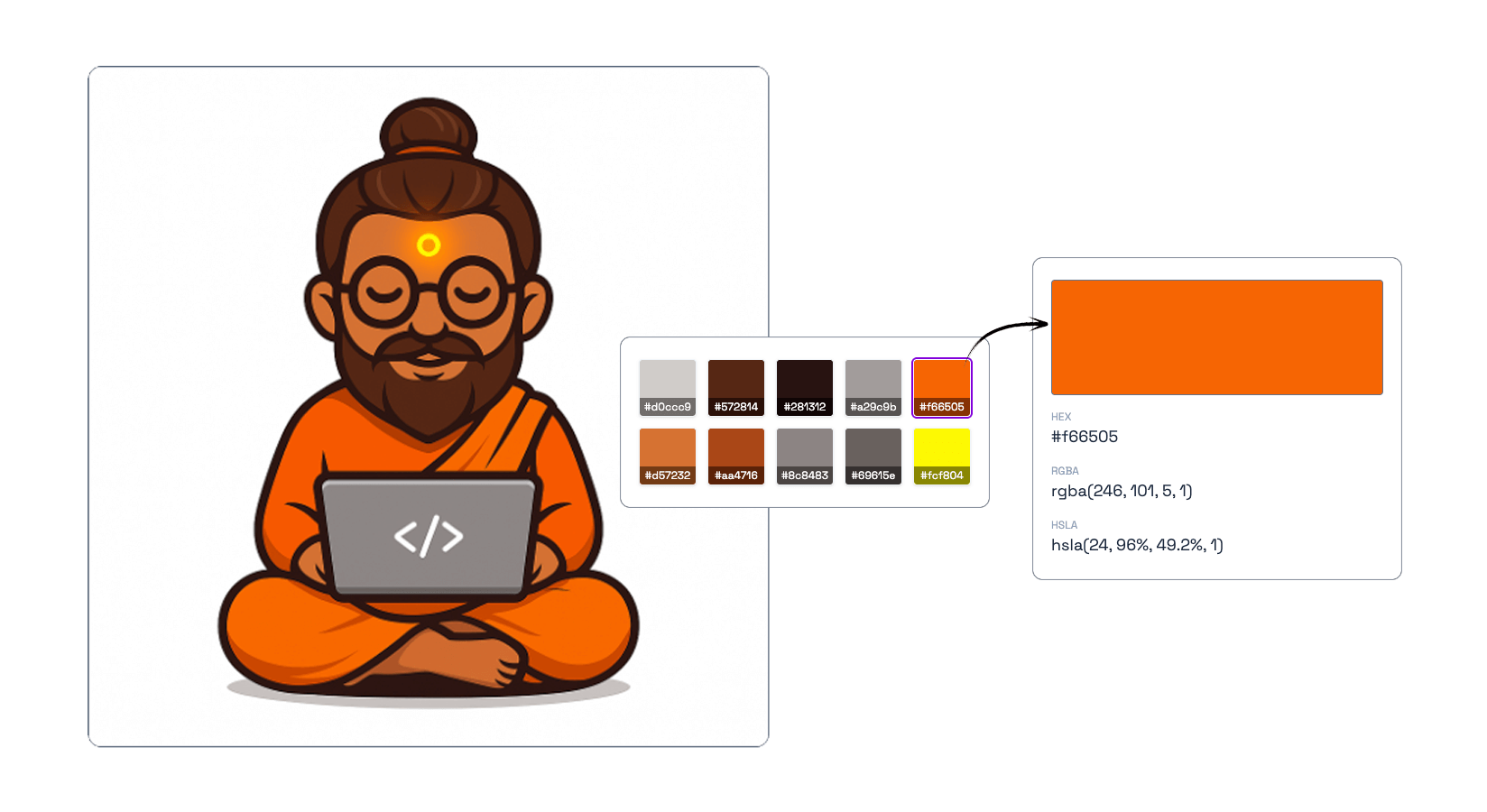
Upload an image to extract its dominant colors — view and copy HEX, RGBA, or HSLA values instantly.
What Our Image Color Extractor Tool Can Do
- Automatic Palette Detection – instantly extracts the most dominant colors from your image.
- Multiple Formats – view and copy colors in HEX, RGBA, and HSLA formats, or export them as JSON or CSS variables.
- Custom Control – choose how many colors to extract and preview them interactively.
- Live Preview – see your color palette generated instantly with smooth visual swatches.
- Works with PNG, JPG, WebP, SVG, and HEIC images.
Why Use FrontendBaba’s Image Color Extractor?
- Completely Free – no signup or watermarks.
- Works entirely in your browser — no uploads, no data tracking.
- Accurate color extraction using smart detection algorithms.
- Perfect for designers, developers, and brand creators.
- Pair it with other FrontendBaba Tools like Gradient Generator, Color Picker, or Typography Generator.
When to Use the Image Color Extractor
- To create color palettes from brand images or logos.
- When designing websites, UIs, or landing pages inspired by a photo.
- To extract theme colors from product shots, artworks, or backgrounds.
- Any time you need to build or export a consistent color system from visuals.
The Image Color Extractor by FrontendBaba helps you turn any image into a reusable, professional color palette — perfect for designers, developers, and creative minds.
Frequently asked questions
Can I extract colors from an HEIC image?
Yes. HEIC and HEIF images are converted locally before the color palette is analyzed.
How does the image color extractor work?
It analyzes the uploaded image, identifies dominant colors, removes very similar results, and builds a reusable palette.
Can I choose the number of extracted colors?
Yes. Change the palette size and the tool will analyze the image again.
Which color formats are provided?
Every extracted color is shown in HEX, RGBA, and HSLA formats.
Can I export the complete palette?
Yes. Copy the colors or download them as JSON or CSS custom properties.
Is my image sent to a server?
No. Palette extraction runs locally in your browser.





Support FrontendBaba
Enjoying these free tools?
A small coffee helps me maintain the tools and build useful new ones.